How to Choose a Wireless Video Communication System

Time:2026-11-15 Author:Henry
0%

Wireless video is no longer a niche production tool. It supports live events, field reporting, classrooms, security monitoring, and remote collaboration. Yet choosing a system involves more than comparing advertised range. A camera feed may cross a crowded venue, pass through walls, and reach a receiver beside competing networks. Small details matter.

The demand is substantial. Ericsson’s June 2024 Mobility Report estimated that video represented about 73% of global mobile data traffic in 2023, with its share potentially reaching 80% by 2029. Cisco’s Visual Networking Index had earlier forecast that video would account for 82% of consumer internet traffic by 2022. That figure was a forecast, not a current measurement, but both reports underline video’s importance to network capacity. For buyers, the practical lesson is clear: picture quality depends on the entire transmission path, not the camera alone.

A reliable Wireless Video Communication system should fit its real setting. Compare operating frequency, line-of-sight range, latency, resolution, battery life, interference handling, and receiver compatibility. Test it where it will be used. A transmitter that performs well in an empty room may struggle near metal walls, Wi-Fi access points, or moving people. No system is perfect. Budget matters, but so do setup time, support, and room for future growth. Choosing well means matching verified performance to everyday conditions—and admitting that a specification sheet cannot predict every site.
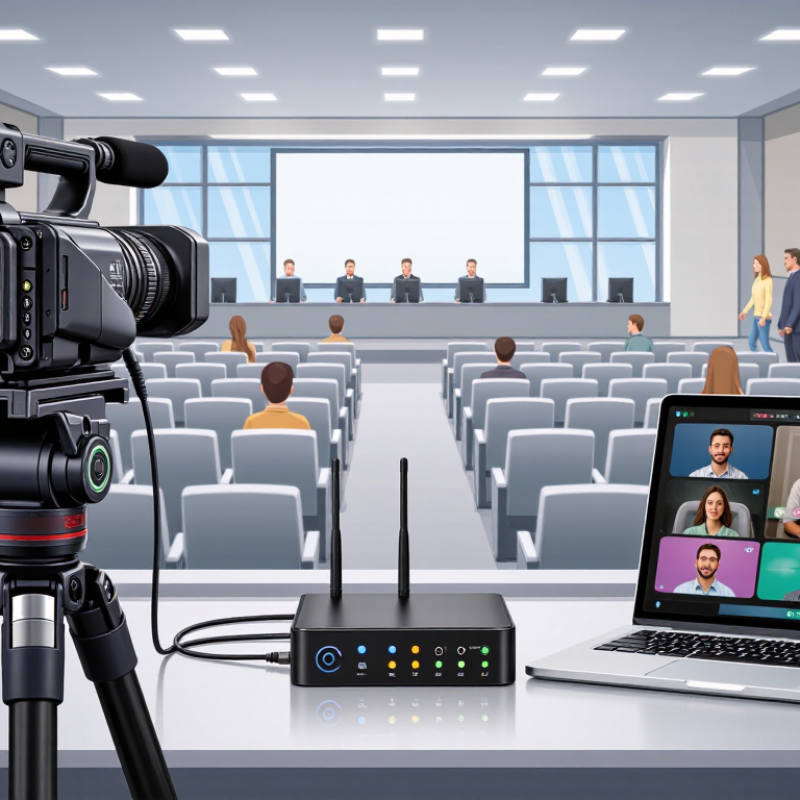
How to Choose a Wireless Video Communication System

Identify the Communication Requirements and Use Case

Start with the job the video link must do. A fixed camera sending a slow inspection feed has different needs from a moving camera used for live direction. Decide who needs to see the footage, where they will watch it, and how quickly they must respond. “Real time” can mean different things to different teams. Small details matter.

Write down the scene conditions before comparing systems. Measure the likely distance, note walls or metal structures, and check for other wireless equipment nearby. Choose the required image resolution and frame rate based on what viewers must actually distinguish. A technician reading a small indicator needs more detail than someone tracking broad movement. Also consider battery life, setup time, and what happens if the signal drops. These estimates may be wrong; a quick indoor test rarely represents a busy site. Test in place, with the real camera and obstacles, and check both picture quality and delay.

Tips: Describe the use case in one sentence, then list its must-haves. Walk the planned route while monitoring the feed. Record weak spots and retest at a different time, since interference can change. Don’t pay for specifications your workflow will not use.

Assess Range, Environment, and Signal Conditions

Range figures are only a starting point. A camera may work across an open room, then stutter behind a concrete wall or metal shelving. ITU-R Recommendation P.1238-11 models indoor radio path loss using frequency, distance, and floor penetration loss. Treat it as a planning model, not a promise: actual buildings differ. Walls matter. Walk the route with the transmitter and receiver in their intended positions, including corners and doorways.

Check signal quality under real conditions. Watch signal-to-noise ratio, packet loss, and video bitrate while other devices are active. A strong signal reading alone can hide interference. Test at the busiest time, and note where the picture freezes or latency rises. A quick test can miss trouble. It may be too reassuring. The ITU model helps explain why longer paths and more barriers can weaken a link, but it cannot account for every moving obstruction or competing radio source.

Match the system’s usable range to the farthest required shot, with room for temporary interference. If video crosses a warehouse, test beside operating equipment and around loaded racks. For outdoor links, repeat tests in wet weather and with the actual antenna positions. Record results at each location; a simple map of weak spots is more useful than one impressive distance claim.

Compare Wireless Video Technologies and Performance

Wireless video systems trade bandwidth, range, and latency differently. Wi-Fi is flexible and easy to deploy, but shared networks can become crowded. A nearby laptop or access point may compete for airtime. The picture can stutter at the worst moment.

Dedicated point-to-point links often provide steadier performance for camera-to-monitor connections. They work best with a clear path between antennas; walls and metal structures can weaken the signal. Cellular connections suit remote locations, though coverage and latency may change from one corner of a site to another. Not always predictable.

Compare more than advertised range. Check the video bitrate, resolution, frame rate, and end-to-end delay under realistic conditions. A delay of several hundred milliseconds may be fine for monitoring, but frustrating for live camera movement. Walk the actual route with people, equipment, and doors in place. A hallway test can flatter a system; busy venues are less polite. I would also repeat the test at different times, since interference and network traffic shift. Published figures help narrow choices, but they cannot replace a practical trial.

Check Compatibility, Security, and Power Needs

Start with the camera’s actual output: resolution, frame rate, connector, and required latency. Confirm that the transmitter and receiver support the same formats and frequency bands. A mismatch can mean dropped frames or no picture at all. Check how the system behaves around Wi-Fi routers, metal shelving, and moving people; a clear test in an empty room proves little. Security matters, too. Look for encrypted links, controlled access, and regular firmware updates. The 2024 Data Breach Investigations Report found that 68% of breaches involved a human element. That figure is a reminder that shared passwords and unattended receivers can undermine good equipment. Small details matter.

Power needs are easy to underestimate. Check the rated draw of both ends, then estimate runtime using battery watt-hours divided by total watts. Allow extra capacity for cold conditions, aging batteries, and startup peaks. Measure, don’t guess. A tidy specification sheet can still hide a weak battery plan. The June 2024 Mobility Report estimated that video made up about 73% of global mobile data traffic in 2023, so crowded wireless environments deserve a real-world test. Run the link at full resolution while nearby devices are active, and note interruptions and heat. Some systems run hotter than expected. That is worth checking before installation.

How to Choose a Wireless Video Communication System — Check Compatibility, Security, and Power Needs

Selection area What to check Practical guidance Decision check
Video interfaces Input and output connectors, supported resolutions, and frame rates Confirm that the source and display share a supported connection, such as HDMI or SDI. Check the exact resolution and frame rate rather than relying on a general “4K” or “HD” label. Will the system accept the source format and deliver a format the display can show?
Audio compatibility Embedded audio, separate audio inputs, channel count, and supported audio formats Verify whether audio travels with the video or needs a separate connection. Check for format or channel limitations if using surround sound or professional audio equipment. Can it carry the required audio without an extra converter or audio link?
Wireless band and local conditions Supported frequency bands and nearby wireless activity Check whether the system uses 2.4 GHz, 5 GHz, or another permitted band. Walls, distance, and competing wireless networks can reduce range and reliability; test in the intended location. Is there a suitable band and a reliable signal path at the required distance?
Network requirements Direct link versus existing Wi-Fi network; network ports and configuration needs Some systems connect directly between transmitter and receiver, while others use a local network. For network-based systems, verify bandwidth, multicast support if required, and any firewall or VLAN restrictions. Does the installation provide the network capacity and access the system requires?
Latency and synchronization End-to-end delay and audio/video synchronization Latency depends on the transmission method, encoding, signal conditions, and display processing. Request measured figures for the intended setup and test interactive uses, such as live monitoring or presentations. Is the measured delay acceptable for the intended use?
Security and encryption Wireless encryption, authentication, and account or key management For Wi-Fi connections, prefer WPA3 where supported or WPA2-AES when WPA3 is unavailable. For systems using their own link, verify that video is encrypted and that pairing cannot be initiated by unauthorized devices. Are encryption and access controls documented and enabled by default?
Security updates Firmware update process and support period Check how updates are installed, whether they are authenticated, and how long security updates are expected. Change default credentials and restrict management access to trusted users or networks. Can the system be kept updated and administered securely?
Power input Voltage, current, connector, and whether power is required at both ends Compare the specified input requirements with available adapters, outlets, or USB power sources. Do not assume a USB port can supply enough power; check its rated output and the device’s requirements. Can each transmitter and receiver receive the required power where it will be installed?
Battery operation Battery runtime, charging time, and replaceable-battery options Use the manufacturer’s runtime figures as estimates and account for brightness, transmission conditions, and operating temperature. For mobile use, plan a charging or spare-battery option. Will the expected runtime cover the session, including setup and standby time?
Power-over-Ethernet PoE support, required PoE standard, and available switch budget If using PoE, confirm that both the device and network switch support compatible PoE standards. Check the switch’s remaining power budget for all connected devices. Does the switch provide the required PoE type and sufficient total power?
Installation environment Operating temperature, ventilation, mounting, and cable access Check the documented operating range and keep equipment within it. Allow ventilation, secure the units, and route cables to reduce accidental disconnection and interference. Can the units be installed safely within their specified operating conditions?
Final acceptance test Picture stability, audio, delay, security settings, and power under real conditions Test the complete source-to-display path at the actual distance and with typical nearby equipment operating. Verify the intended resolution, audio, pairing controls, and power arrangements. Does the complete setup meet the requirements consistently before deployment?

Note: Actual compatibility, wireless performance, latency, and power consumption vary by system and installation. Confirm specifications with the system documentation and test in the intended environment.

Test System Reliability Before Deployment

How to Choose a Wireless Video Communication System

Test System Reliability Before Deployment

A wireless video link can look reliable in an empty room and fail beside running equipment. Test it where it will actually operate. Walk the full route with the camera, receiver, and normal power sources in place. Check video latency, dropped frames, signal strength, and recovery after brief interruptions. Repeat the test during busy periods, when nearby devices may add interference. Record the results, not just your impressions. A single clean run proves little.

Tips: Set clear limits for acceptable delay and lost frames before testing. Keep a log. Note the location, distance, obstructions, and time of each test. Try practical obstacles, such as a closed door or a person crossing the signal path. Avoid changing several settings at once; otherwise, it is hard to know what helped.

Before deployment, test backup power and any failover process, then rehearse a short outage. Measure performance over a sustained session, not only during setup. If results vary, investigate placement or network congestion before relying on the system. No test catches everything. I would leave room for another trial when conditions change; that extra check can feel tedious, but skipping it is a gamble.

FAQS

How do I define what a video link needs to do?

Describe the task in one sentence. A slow inspection feed may need different timing than live camera direction. Decide who watches and how quickly they must react.

What scene details should I check before choosing a system?

Measure distance and note walls, metal shelving, and nearby wireless devices. Walk the planned route while monitoring the feed. Retest later; interference can change.

How much image quality do I need?

Match resolution and frame rate to what viewers must distinguish. Reading a small indicator needs more detail than tracking broad movement. More is not always useful.

How can I check compatibility?

Compare the camera’s resolution, frame rate, connector, and latency needs with both link units. Confirm matching formats and frequency bands. A mismatch can cause dropped frames or no picture.

How should I test signal quality?

Test with the real camera and actual obstacles, not just in an empty room. Run full resolution while nearby devices are active. Note delays, interruptions, and weak spots.

What security features should I look for?

Check for encrypted links, controlled access, and regular firmware updates. Avoid shared passwords and unattended receivers. Good hardware is not enough.

How do I estimate battery runtime?

Divide battery watt-hours by the total power draw of both ends. Allow extra capacity for cold weather, battery aging, and startup peaks. Measure, don’t guess.

What else should I check before installation?

Monitor heat and battery life during a full-resolution test. Crowded wireless spaces can behave differently from a quiet room. My first estimate may be wrong.

Conclusion

Choosing a Wireless Video Communication system begins with a clear understanding of how it will be used. Consider the required video quality, number of connected devices, mobility, and whether communication must be continuous or occasional. Then evaluate the operating distance and surroundings: walls, obstacles, interference, and changing conditions can all affect signal strength and stability.

Compare available wireless technologies by their range, bandwidth, latency, and ability to maintain consistent video. Check that the system works with existing cameras, displays, and networks, and review its security features and power requirements. Battery life, charging options, and energy use can influence how practical it is in everyday operation. Before deployment, test the system in realistic conditions, including at the intended distance and in the actual environment. These checks help reveal weak signals, delays, compatibility issues, or power limitations early, so you can select a reliable solution that fits your needs.


Henry

Henry

Henry is a dedicated marketing professional with a profound expertise in the company's offerings. With years of experience in the industry, he possesses an impressive understanding of the market dynamics and consumer behaviors that drive success. Henry is committed to sharing his insights through......