Digital video now moves through studios, control rooms, event venues, and field production kits. A dependable Digital Video Link must carry a clear picture, maintain stable timing, and fit the workflow around it. Range matters, but so do latency, interference tolerance, supported formats, connectors, and monitoring tools. Small details count. A loose connector or crowded frequency band can disrupt a carefully planned shoot.
Claude Shannon, the mathematician and communications engineer, wrote, “The fundamental problem of communication is that of reproducing at one point either exactly or approximately a message selected at another point.” His 1948 observation predates modern video links, yet it captures their central challenge: preserving useful information across a transmission path. This guide examines ten manufacturers through that practical lens. It considers product focus, published specifications, system compatibility, support, and suitability for different production settings. Datasheets and real-world requirements should guide any shortlist; a ranked list alone cannot predict performance at a specific location.
There are trade-offs. A compact transmitter may simplify a camera rig, while a larger system may offer more inputs or monitoring options. No single model suits every crew. Some specifications also look impressive on paper but need context, especially range claims made without clear test conditions. The comparison that follows aims to make those distinctions easier to assess. It is a starting point, not a substitute for testing.
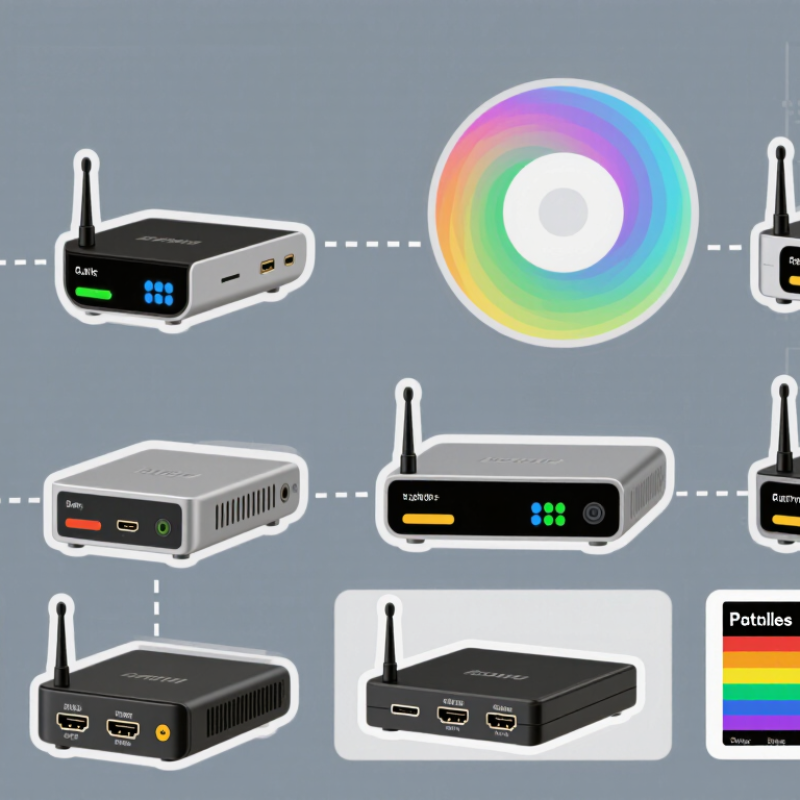
A digital video link carries picture and sound as encoded data between a source and a display, camera, or recorder. The source converts each frame into digital information, then a transmitter prepares that information for a cable or optical connection. Depending on the system, the link may use copper wiring or fiber. Each option has different limits for distance, bandwidth, and resistance to interference.
The receiver reads the incoming data, checks its timing, and rebuilds the video for display. A stable link depends on more than a matching connector. Resolution, frame rate, color depth, cable quality, and connector condition all affect performance. Small details matter. For example, a loose connection may cause flickering or brief dropouts, while a long copper run can weaken the signal. Fiber can carry data farther, but it still requires compatible equipment at both ends.
In practical setups, troubleshooting is rarely as neat as a diagram suggests. A screen may go blank because of a setting mismatch, not a failed cable. Check the source format, link specifications, and cable path before replacing parts. This process takes patience. Digital links can also behave unpredictably near their operating limits: an image may look perfect until errors become frequent enough to interrupt transmission.
Digital video link systems depend on more than raw bandwidth. Compression codecs reduce data rates, but aggressive settings can soften fine textures or introduce blockiness around fast motion. For live monitoring, engineers often balance image quality against latency. A delay of even a few frames can complicate camera control. That matters.
The physical link also shapes performance. Wired systems may use electrical or optical transmission, while wireless links rely on radio modulation and carefully chosen antennas. Forward error correction can recover some lost data without retransmission, which helps keep live video moving. Real installations are messier. Walls, nearby transmitters, and changing distance can affect signal quality, so field testing matters as much as bench measurements.
Synchronization keeps video and audio aligned across multiple devices. Clocking and timestamp methods help prevent drift, especially in multi-camera setups. Security features can protect the stream and control channel, but encryption may add processing overhead. Specifications do not always reveal these trade-offs clearly. A useful evaluation should measure end-to-end delay, dropped frames, recovery behavior, and image quality under realistic conditions—not just peak throughput. No single codec or transmission method fits every job. The right choice depends on the scene, distance, lighting, and how much delay operators can accept.
Technology overview of capabilities commonly found in digital video link systems. This table is not a company ranking; implementation and supported features vary by product.
| No. | Technology | Role in the System | Typical Engineering Considerations | Common Applications |
|---|---|---|---|---|
| 1 | Video compression (H.264/AVC and H.265/HEVC) | Reduces video bitrate to make transmission over bandwidth-limited links more practical. | Balance image quality, bitrate, encoding delay, and decoder compatibility; performance depends on content and encoder settings. | Wireless video links, remote monitoring, mobile production, and low-bandwidth transmission. |
| 2 | OFDM radio transmission | Uses multiple orthogonal subcarriers to carry data and can help manage frequency-selective channel effects. | Link performance depends on channel bandwidth, modulation, coding, interference, and radio regulations. | Wireless camera links, mobile video systems, and point-to-point data transmission. |
| 3 | Adaptive modulation and coding | Adjusts modulation and error-correction settings as radio-link conditions change. | More robust settings can improve reliability at the cost of throughput; adaptation speed and link feedback matter. | Links operating in changing or obstructed radio environments. |
| 4 | Forward error correction (FEC) | Adds redundant information so a receiver can recover some corrupted or missing data without retransmission. | FEC overhead uses bandwidth; stronger protection can improve error tolerance but may add processing delay. | Real-time video transmission where retransmission is limited by latency requirements. |
| 5 | Multiple-input multiple-output (MIMO) | Uses multiple transmit and receive antennas to improve link robustness or increase data throughput, depending on the channel. | Results depend on antenna separation, polarization, channel conditions, and the number of spatial streams supported. | Wireless links requiring greater capacity or improved reception reliability. |
| 6 | Frequency selection and interference management | Helps a system operate on a suitable channel and reduce the effects of competing radio signals. | Available spectrum, local regulations, channel occupancy, and coexistence with nearby equipment must be considered. | Event venues, industrial sites, and other environments with congested wireless spectrum. |
| 7 | Low-latency encoding and transport | Limits the time required to capture, encode, transmit, decode, and display video. | Latency depends on frame buffering, codec settings, packetization, error handling, and display processing. | Live production, remote control, teleoperation, and interactive video monitoring. |
| 8 | SDI and HDMI video interfaces | Provide established ways to connect video sources, transmitters, receivers, and displays. | Supported resolutions, frame rates, color formats, cable limits, and interface versions vary by equipment. | Broadcast, professional video production, presentation, and monitoring systems. |
| 9 | IP-based video transport | Carries encoded video as network data over Ethernet or other IP-capable links. | Network capacity, packet loss, jitter, synchronization, and quality-of-service configuration affect performance. | Networked video distribution, remote contribution, and multi-device monitoring. |
| 10 | Encryption and access control | Protects video and control data from unauthorized access during transmission or system operation. | Security depends on encryption design, key management, authentication, and secure device configuration. | Private production feeds, enterprise monitoring, and sensitive video workflows. |
When evaluating digital video link manufacturers in China, start with the conditions your system will face. Define required resolution, frame rate, latency, transmission distance, and interfaces before comparing quotations. Ask how performance changes through walls, near other wireless equipment, or in hot and humid conditions. A range figure without test conditions is hard to judge. Details matter.
Request current test records and a sample unit, then verify them against your own setup. Measure end-to-end delay with a visible timer, check for dropped frames during sustained use, and confirm which cables and software versions were tested. Ask how production units are inspected and how component changes are communicated. Ask for evidence. A polished brochure can still leave gaps, and one successful demonstration does not prove consistent production quality.
Compare support as carefully as specifications. Clarify warranty coverage, repair procedures, spare-part availability, and typical response times in writing. For a pilot order, record acceptance criteria and test several units, not just the sample selected for a demonstration. Check whether documentation is clear enough for your engineers to install and troubleshoot the equipment without constant assistance. No checklist removes all uncertainty; I would still treat promised range and long-term reliability as questions until field testing confirms them.
China’s digital video link manufacturers serve a market shaped by resolution, distance, and installation conditions. A useful profile looks beyond product claims. It considers interface support, signal stability, thermal design, and documentation. Small details matter. A connector that loosens in a moving vehicle can undermine an otherwise capable system.
The ten profiles reflect different areas of focus. One manufacturer may build compact links for cameras; another may prioritize long-distance transmission. Some specialize in embedded boards, while others offer complete transmitter-and-receiver units. Several focus on low latency for live monitoring. Others emphasize multi-channel video, industrial durability, or flexible power inputs. A further group may support customized interfaces, optical transmission, or integration with existing equipment. These distinctions help buyers compare suppliers without assuming that every product suits every project.
For a practical review, ask for interface diagrams, operating-temperature ranges, and test conditions. Request a sample and check image stability with the intended cable length and display. Look closely at setup instructions. Are they clear? Sometimes, they are not. That is worth noting, not overlooking. Public specifications can also leave gaps around firmware updates, compatibility, and long-term support. A careful profile should separate verified details from estimates and identify what still needs confirmation before purchase.
Digital video links move image data from a camera or sensor to a display or processor. Their value is clearest where detailed images and predictable timing matter. In a vehicle, a short link may connect a bumper camera to a central computing unit. On a factory line, it can carry inspection images from a moving conveyor. Similar links appear inside medical imaging equipment, where stable detail supports careful review. Small connectors, cable routing, and electrical noise still shape performance.
Demand is shifting toward higher resolutions, faster frame rates, and lower end-to-end latency. Designers also want fewer cables and simpler installation. Serial links over coaxial cable or shielded twisted pair can reduce wiring bulk, but require careful impedance control. A poor bend radius or loose connector may cause intermittent errors. That matters. System teams increasingly value diagnostics, including link status, error counts, and temperature reporting, alongside bandwidth.
Power efficiency and electromagnetic compatibility are gaining attention as devices become smaller. Some applications need long cable reach; others need compact modules and low heat. There is no universal best link. Engineers should test the complete path, including connectors, cable length, image format, and nearby switching electronics. Bench results can look clean, while a crowded enclosure behaves differently. This is easy to underestimate. Manufacturer comparisons are more useful when they state measured bandwidth, latency, supported cable types, and operating conditions.
A comparison of published maximum nominal link rates across representative video-link categories.
Peak raw link rates are specification limits, not market share or typical video payload. Actual usable bandwidth depends on encoding, link configuration, and protocol overhead. The figures illustrate the trend toward higher-capacity links for high-resolution, high-refresh-rate, and professional video workflows; established broadcast links remain important in production environments.
Codecs reduce the amount of data sent. Strong compression can soften fine textures or create blocky edges during fast motion.
Delay can make camera control harder. Even a few extra frames may matter when operators track movement.
Walls, nearby transmitters, and changing distance can reduce signal quality. Test the system in its actual installation environment.
It can recover some lost data without requesting retransmission. That helps keep live video moving, though it cannot fix every interruption.
Measure end-to-end delay, dropped frames, recovery behavior, and image quality. Use the intended cables and software during sustained testing.
Ask for current test records, production inspection details, and information about component changes. A brochure is not enough.
Test several units against written acceptance criteria. Check warranty terms, repair steps, spare parts, and support response times. Test it yourself.
Vehicle cameras, factory inspection lines, and medical imaging equipment use links to move detailed images. Cable routing and electrical noise still matter.
Designers want higher resolution, faster frame rates, lower delay, and simpler wiring. Smaller modules also raise concerns about heat and power use.
No. The right choice depends on distance, image format, lighting, cable type, and acceptable delay. Bench results may not predict field performance.
This article introduces what a Digital Video Link is and explains how it carries video signals between devices, from signal input and processing to transmission and reception. It also reviews the technologies that support reliable performance, including digital encoding, data interfaces, wireless or wired transmission, and measures for managing latency, image quality, and signal stability.
The article outlines practical ways to evaluate Chinese manufacturers, such as comparing product capabilities, compatibility, technical support, production quality, and application experience. It then presents an overview of ten manufacturers without focusing on brand promotion, before exploring common uses in areas such as broadcasting, video production, and industrial monitoring. Finally, it considers market trends, including demand for higher resolutions, lower latency, and more flexible connectivity.

Sinosun Tech